
Connect data enrichment tools to Hublead
Plug your Apollo, Kaspr, Lusha or RocketReach API key into Hublead so it fills in missing phone numbers when you add a LinkedIn profile.
On this page
Connect Apollo
1. Get your API Key
- You need to create an account on Apollo if you do not have one.
- Go to Settings > API (or click directly on this link).
- Create an API key with these permissions: "/v1/people/match"
- Get your API Key
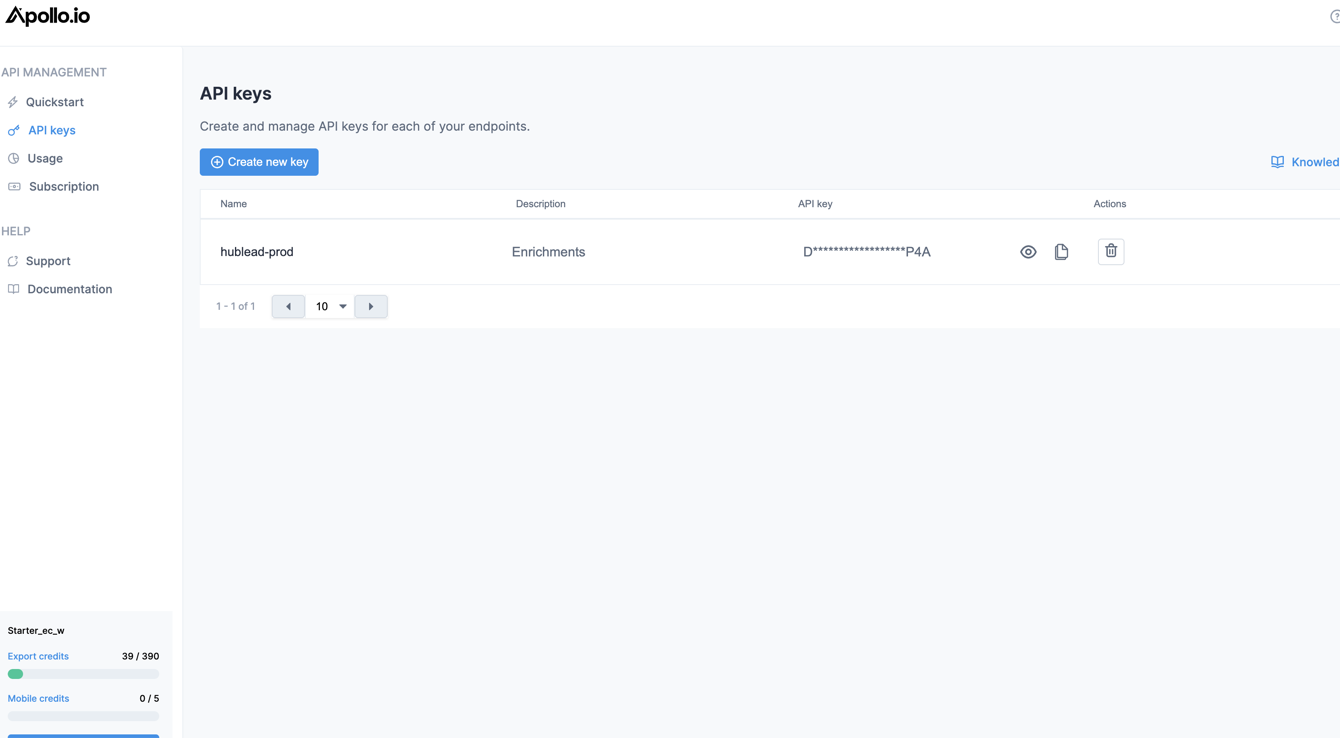
Apollo API Key
2. Copy the API Key
- Go to your dashboard in Settings > Apps or click on that link.
- Click on Connect under Apollo Integration.
- Copy your API Key.

Connect Apollo to Hublead
All set! Whenever you click on "Add to CRM" on any LinkedIn profile page, we will enrich with Apollo if we do not have the phone numbers!
Connect Kaspr
1. Get your API Key
- You need to create an account on Kaspr if you do not have one.
- Go to Settings > API (or click directly on this link).
- Get your API Key
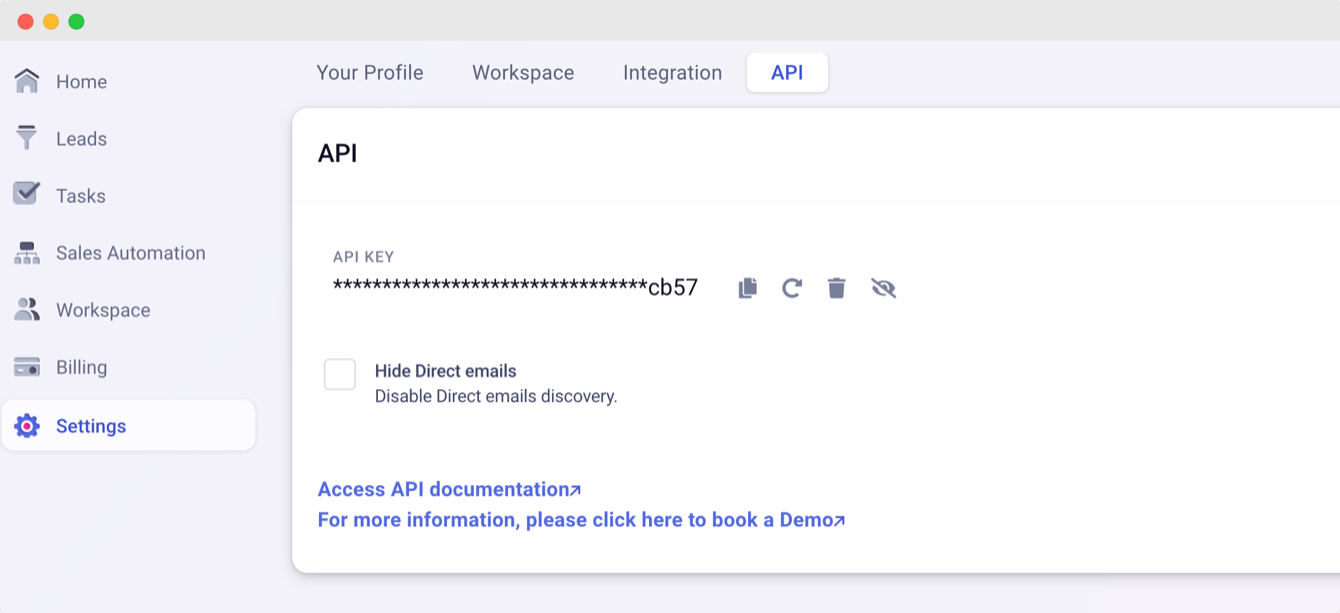
Kaspr API Key
2. Copy the API Key
- Go to your dashboard in Settings > Apps or click on that link.
- Click on Connect under Kaspr Integration.
- Copy your API Key.

Connect Kaspr to Hublead
Now! Whenever you click on "Add to CRM" on any LinkedIn profile page, we will enrich with Kaspr if we do not have the phone numbers!
Connect Lusha
1. Get your API Key
You need a Lusha's annual license to access to their API.
- You need to create an account on Lusha if you do not have one.
- Go to Enrich > API Enrichment.
- Get your API Key
2. Copy the API Key
- Go to your dashboard in Settings > Apps or click on that link.
- Click on Connect under Lusha Integration.
- Copy your API Key.
Connect Lusha to Hublead
Now! Whenever you click on "Add to CRM" on any LinkedIn profile page, we will enrich with Lusha if we do not have the phone numbers!
Connect Rocket Reach
1. Get your API Key
- You need to create an account on Rocket Reach if you do not have one. You can select two types of subcriptions: emails only or emails & phone numbers, both work with Hublead it just depends of your needs.
- Go to Integrations > API Usage & Settings or click on that link.
- Get your API Key on top right, if it's your first time, you need to click on "Generate a New API Key"
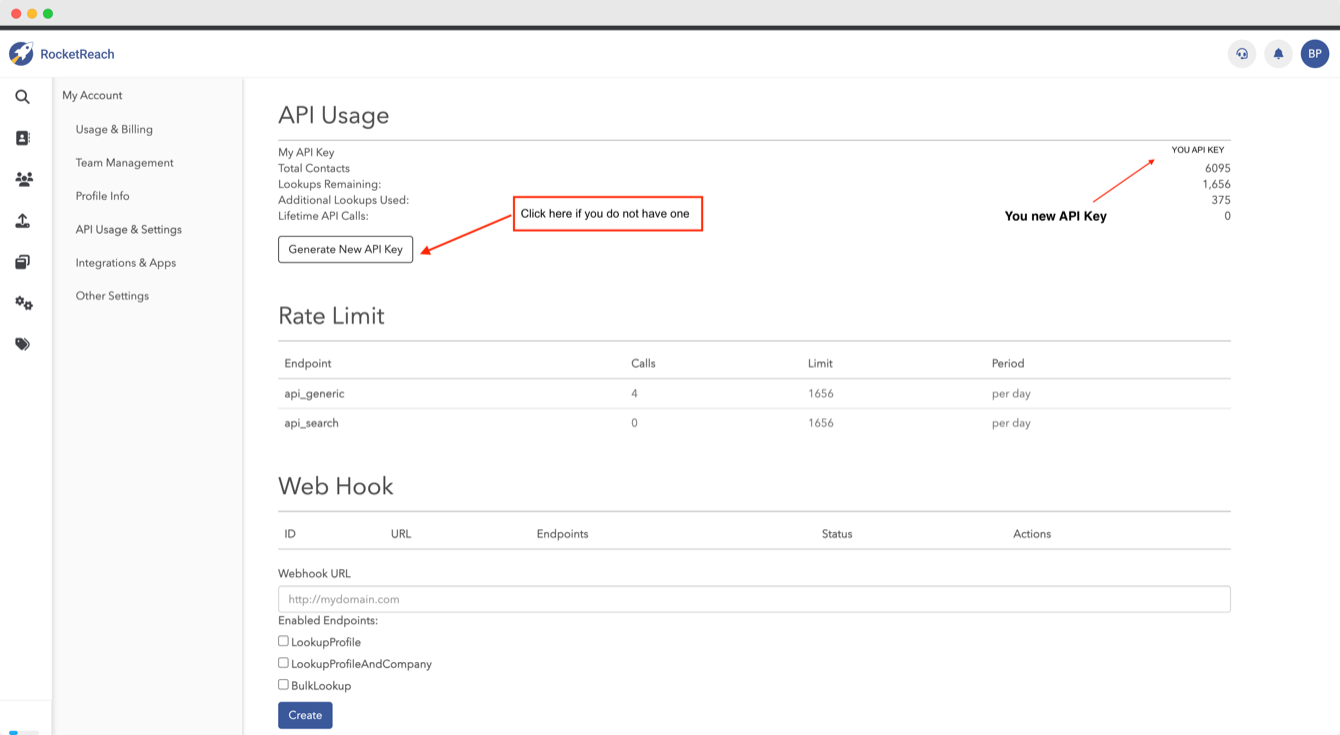
2. Copy the API Key
- Go to your dashboard in Settings > Apps or click on that link.
- Click on Connect.
- Copy your API Key.
Connect Rocket Reach to Hublead
Now! Whenever you click on "Add to CRM" on any LinkedIn profile page, we will enrich with Rocket Reach if we do not have the phone numbers!
Updated 30 October 2026